Architecture
Understand the runtime shape of Codemation from the local setup to the production worker model.
Architecture
You do not need every internal detail to use Codemation well.
Most app developers need a clear picture of:
- the minimum setup that gets you productive quickly
- the production setup that adds shared infrastructure and workers
- the engine layer that keeps workflow definitions stable as the runtime grows
Main packages
| Package | Role |
|---|---|
@codemation/core | Workflow engine, runtime contracts, and workflow DSL |
@codemation/host | Config loading, persistence, credentials, API surface, and scheduler wiring |
@codemation/next-host | Framework-owned operator UI |
@codemation/cli | dev, build, db migrate, serve web, and serve worker commands |
Minimum setup
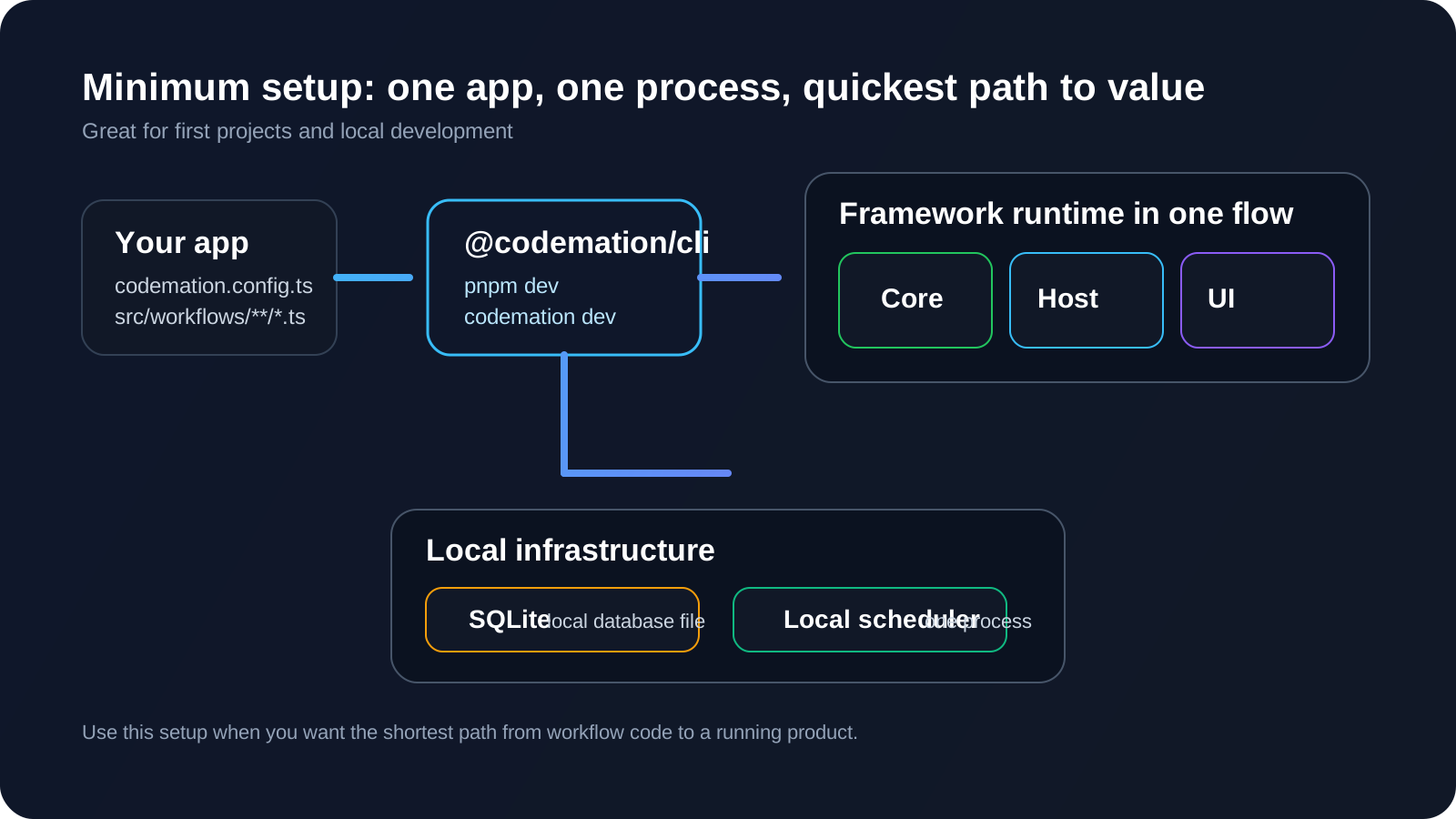
This is the default path most apps should start with:
- your app provides
codemation.config.tsand workflow files pnpm devruns the Codemation CLI- the framework starts the runtime and UI together
- persistence uses local SQLite
- one process is enough to run both the web surface and execution
When the minimum setup is right
Use it when:
- you are creating your first app
- you want fast local iteration
- you do not need shared workers yet
- one machine or one process is enough
Production setup
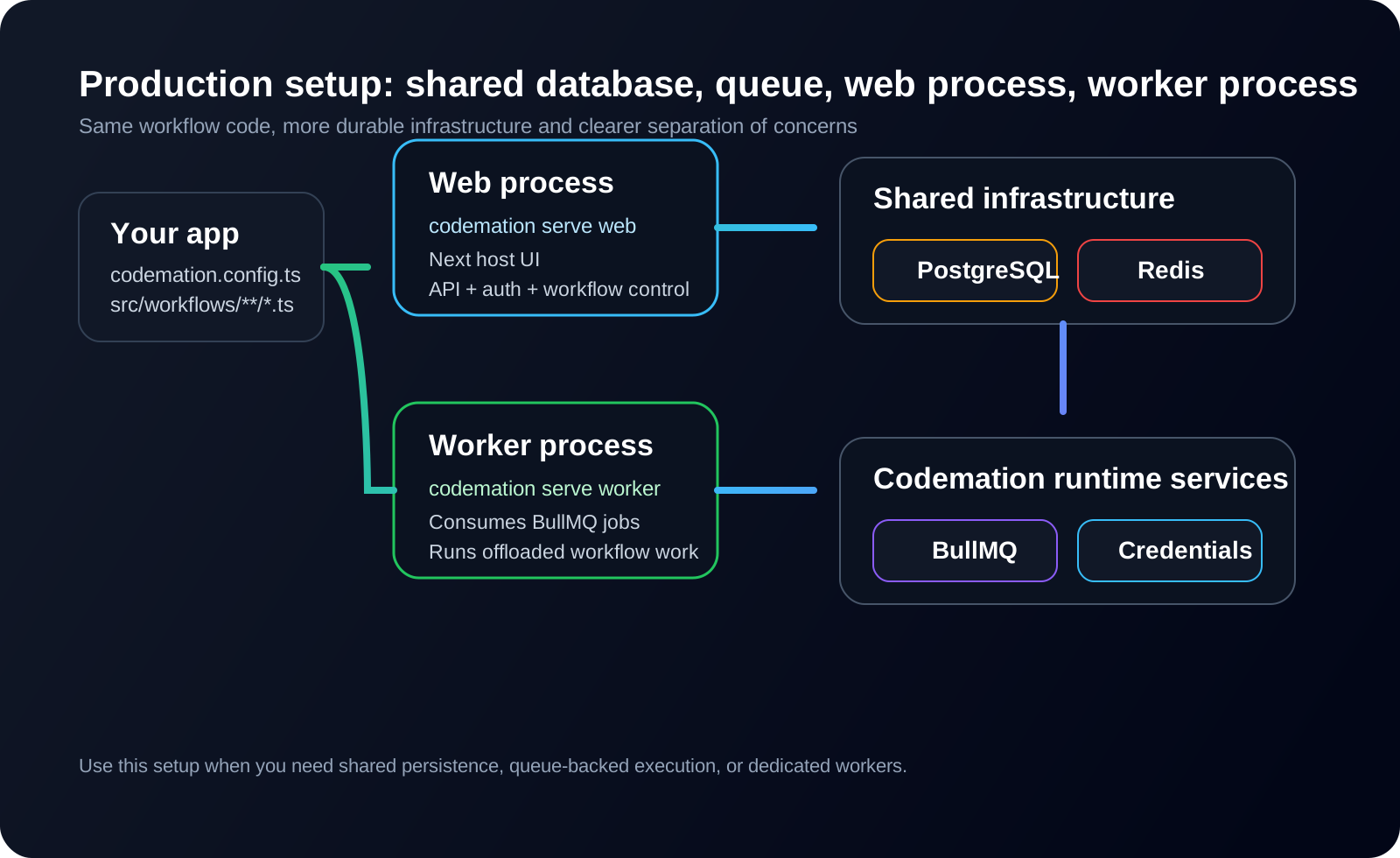
When your app needs shared infrastructure or worker separation, the runtime shape changes but your workflow code does not.
The important differences are:
- PostgreSQL replaces the local SQLite database
- Redis is added for queue-backed execution
- BullMQ powers the scheduler
- web and worker processes run separately
- both processes share the same database and Redis instance
When the production setup is right
Use it when:
- you want separate web and worker processes
- workflows can be long-running or bursty
- you need a shared staging or production environment
- queued execution is a better fit than an inline local scheduler
Observability and retention
Codemation stores two related but different kinds of operational data:
- run data for replay, debugger views, node snapshots, and persisted outputs
- telemetry data for traces, spans, artifacts, and metric points
Those lifecycles are intentionally separate. You can keep raw run data for a short window while retaining telemetry for longer-term trend analysis and compliance reporting.
That means a setup such as "delete runs after 14 days but keep telemetry for 90 days" is a supported runtime shape, not a migration you need to invent later.
Telemetry also uses a split model on purpose:
- canonical span fields stay on spans
- node-specific measurements go into metric points
- larger drill-down payloads live as artifacts
This keeps the schema stable as new node types report new metrics, while still working in both local SQLite and shared PostgreSQL deployments.
Engine layer
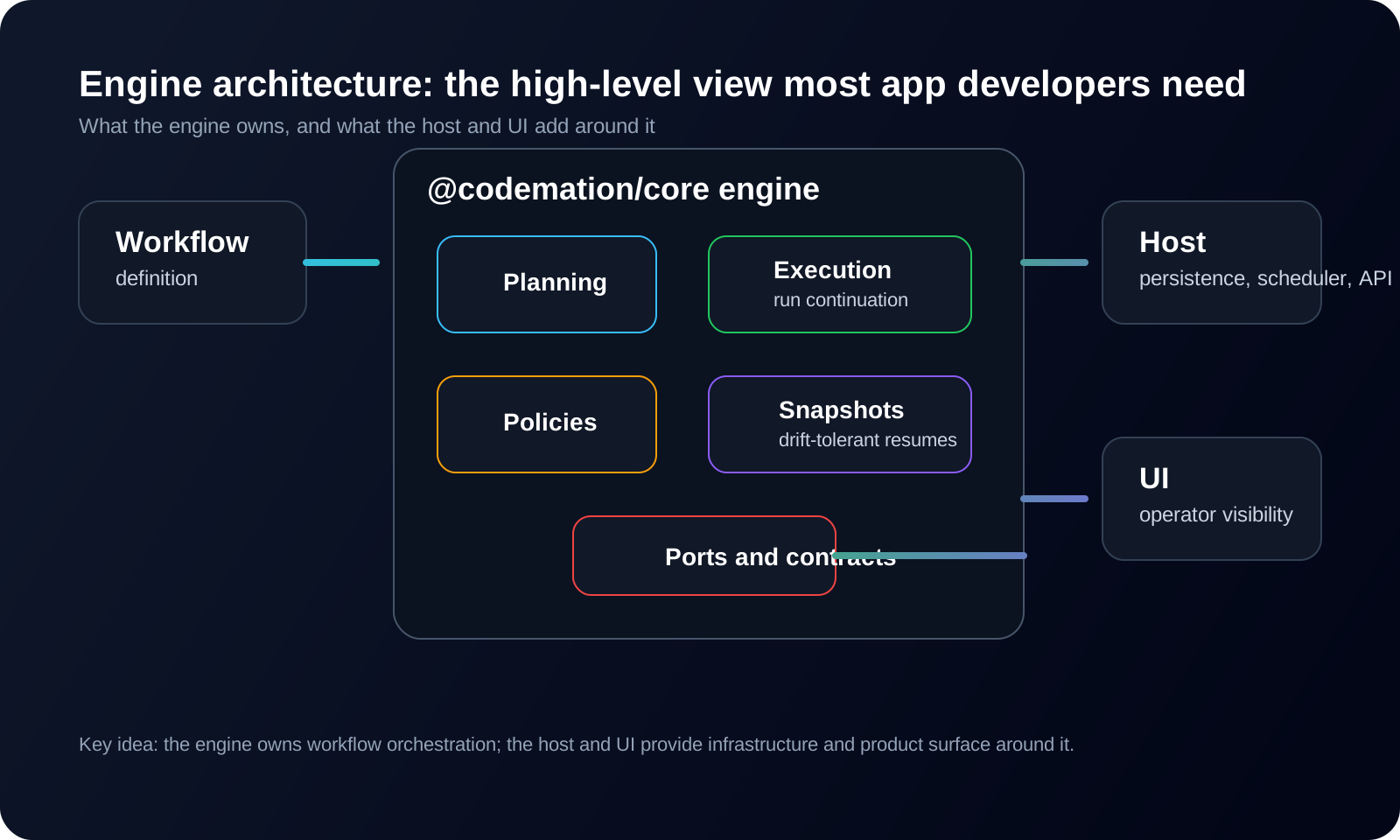
At a high level, @codemation/core owns:
- workflow definition and planning
- execution and continuation
- policies and limits
- runtime contracts and ports
- snapshot-based resume behavior
It does not directly own:
- the web UI
- auth and user management
- concrete database implementations
- Redis or BullMQ wiring
- framework-specific API hosting
Those responsibilities are added by the host and UI packages around the engine.
Where your code lives
In a normal app, you mainly work in:
codemation.config.tssrc/workflows/**/*.ts- optional custom node modules or packages
- optional credential type registrations